


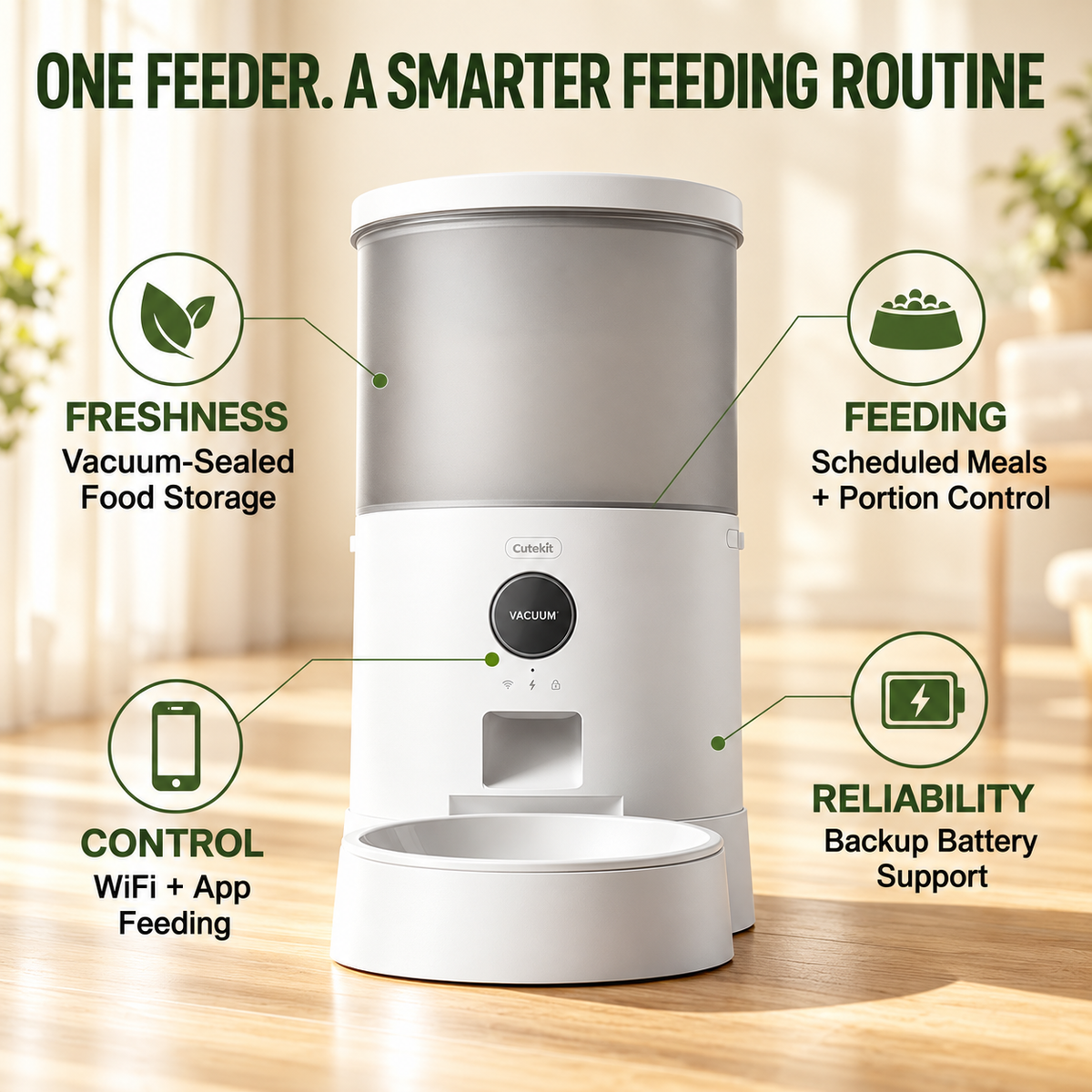
Automatic Vacuum Resealing
Reseals after each feeding cycle.

VACUUMLOCK TECHNOLOGY
Automatic VacuumLock reseals the food storage after feeding to help reduce exposure to air and moisture between meals.
Reseals after each feeding cycle.
Helps limit air contact while kibble is stored.
Designed to help maintain food freshness between scheduled meals.
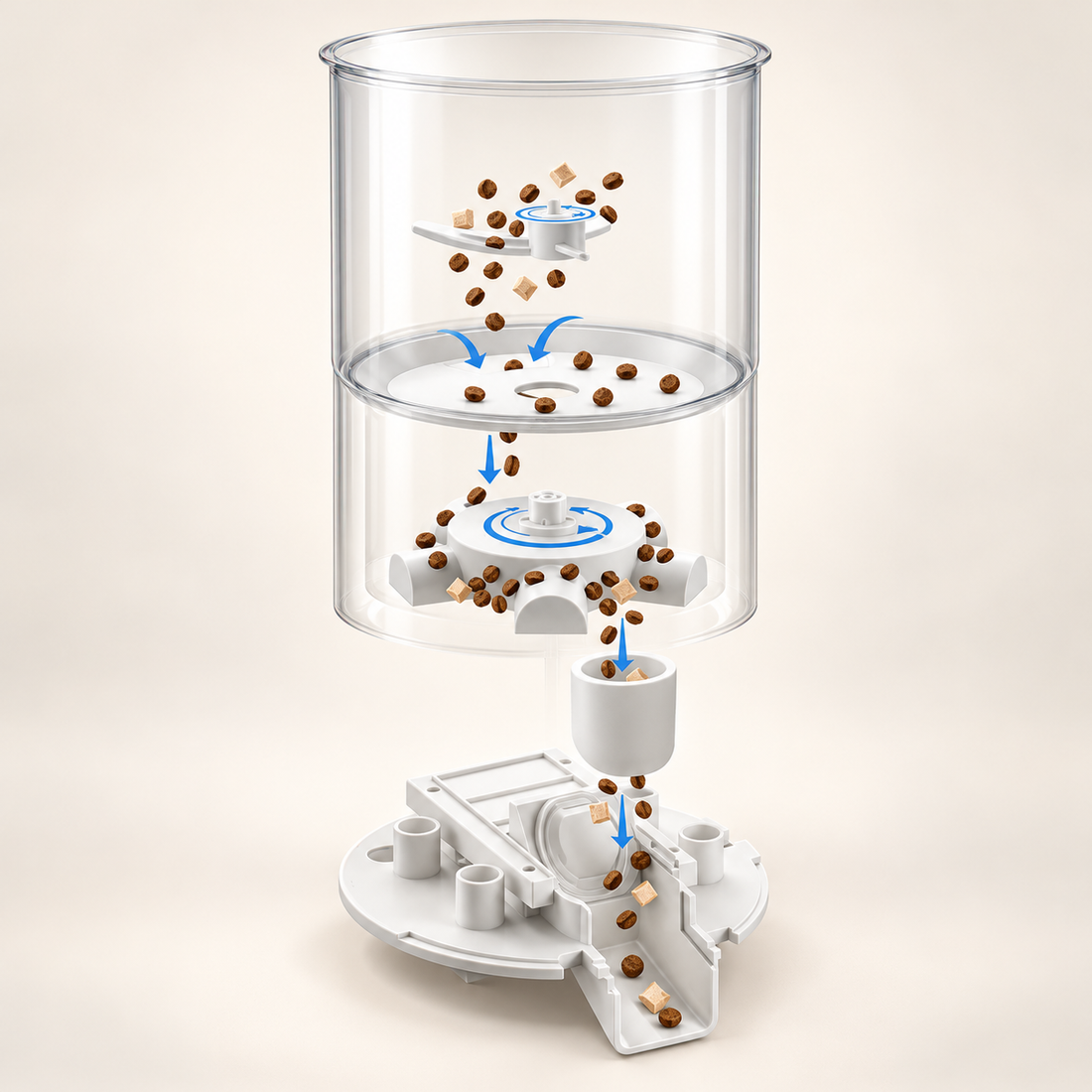
FOUR-PART ANTI-JAM SYSTEM
Four features work together to help reduce food blockages and keep meals moving.
Helps food move smoothly through the dispenser.
Automatically reverses to help loosen food blockages.
Gives compatible food more room to pass through.
Monitors the outlet and pauses dispensing when a blockage is detected.
All food types: pieces ≤ 16 mm (0.63 in).
Use dry food only. Not for wet, canned or rehydrated food.
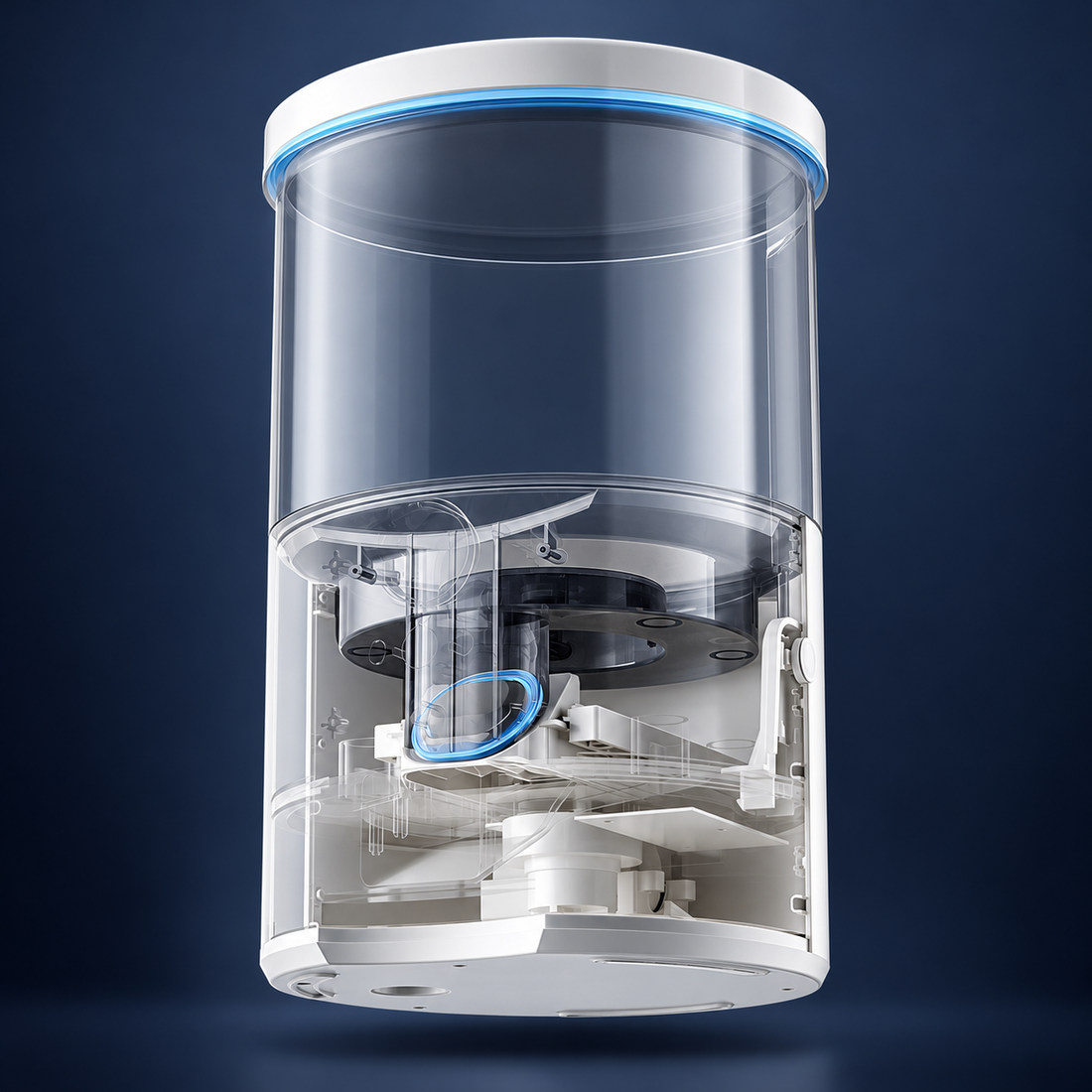
VACUUMLOCK SEALING SYSTEM
The lid and dispensing outlet work together to help limit air exposure between meals.
Vacuum pressure helps hold the lid firmly closed.
The outlet closes after feeding to help seal the food chamber.
Air is drawn out after dispensing to restore vacuum storage between meals.
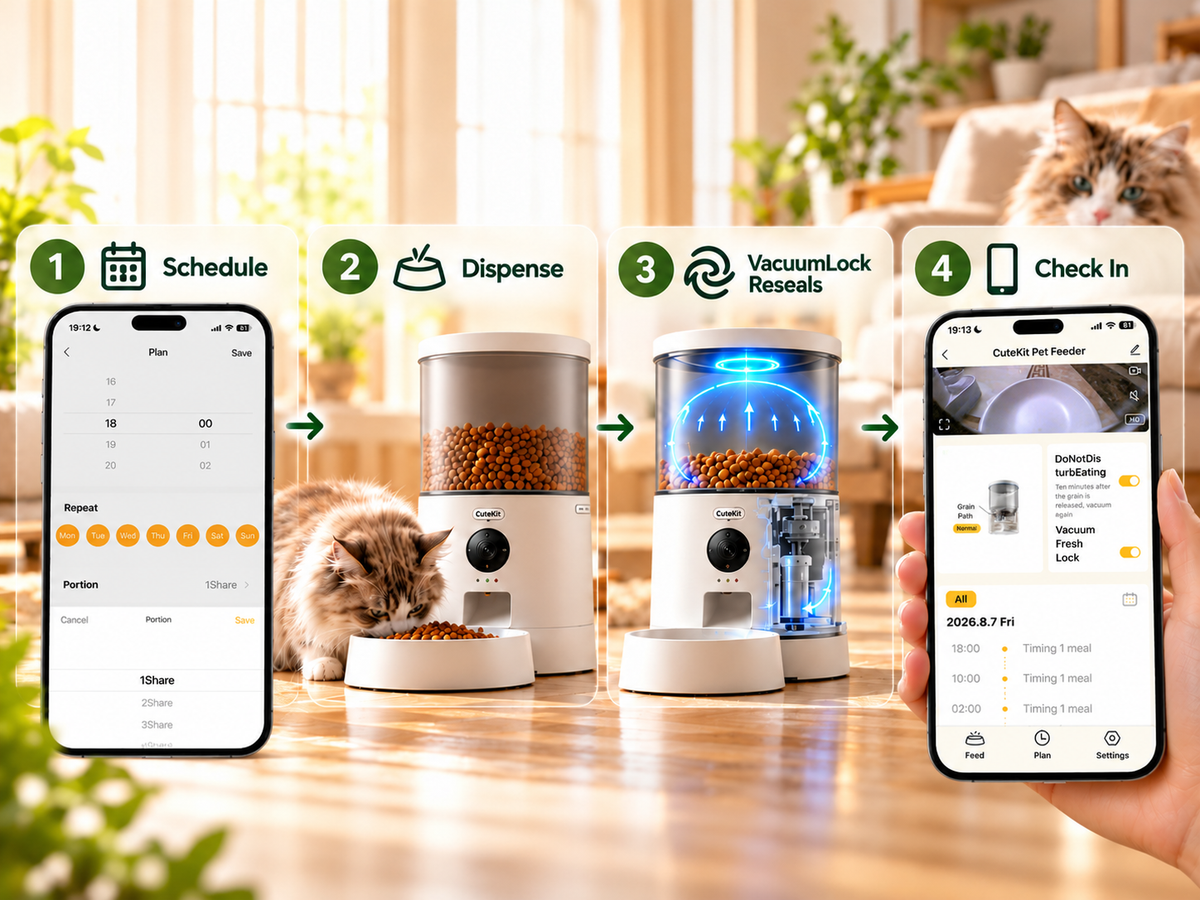
SMART FEEDING
Set the schedule. CuteKit handles the rest.
Set meal times and portions in the app.
Food is automatically served on time.
VacuumLock restores the storage seal after feeding.
Check feeding records and manage schedules in the app.
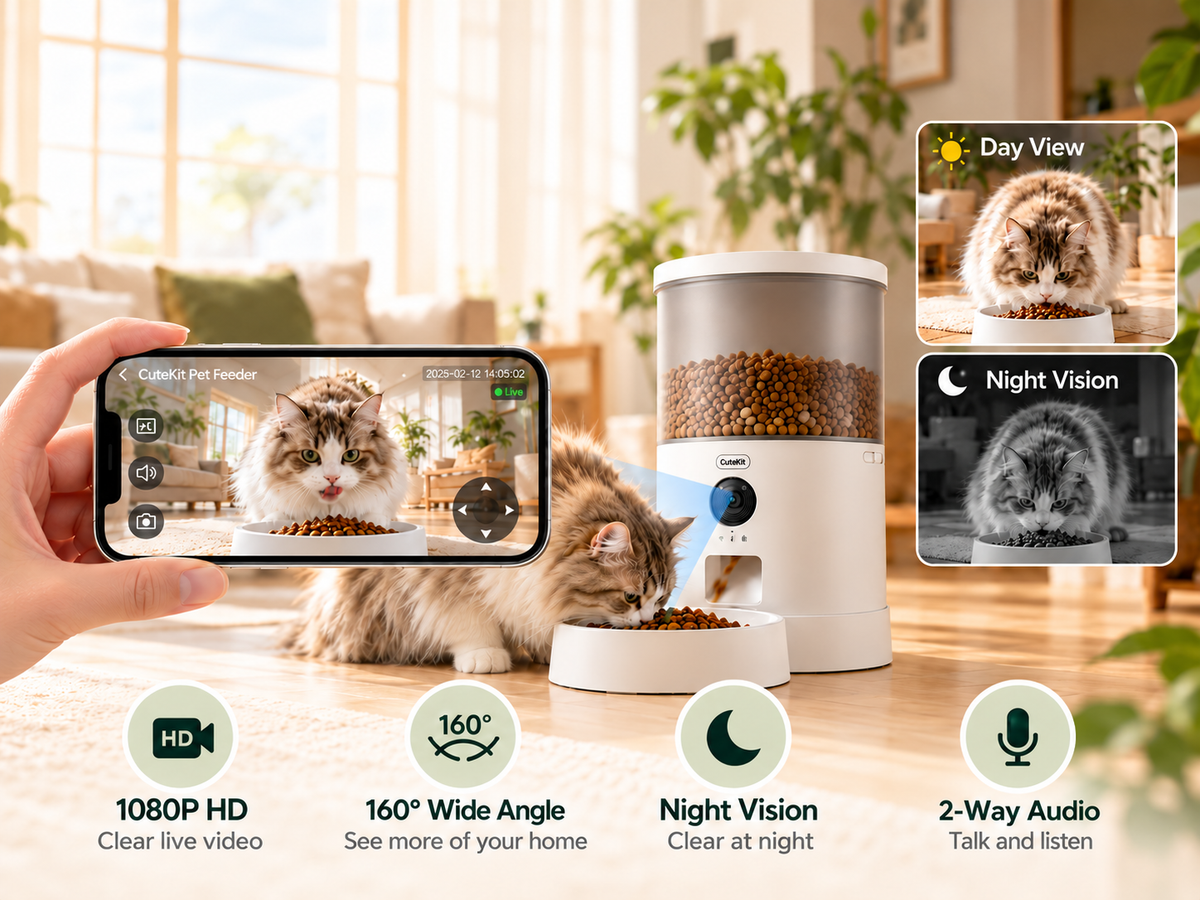
CAMERA MODELS ONLY
Check in on your pet and feeding area with live viewing and two-way audio in the Maoxga app.
See your pet and feeding area in clear live video.
See more of your pet’s space in one view.
Check in on your pet after dark.
Talk to your pet and hear them through the app.
Plug-In Camera and Cordless Camera only. 2.4GHz Wi-Fi and internet required for remote access. Cloud playback may require a separate paid subscription.

CORDLESS CAMERA ONLY
Choose the feeding spot that suits your home, powered by an 8000mAh rechargeable battery.
Set up without a continuously connected power cord.
Recharge for everyday cordless feeding. Runtime varies with use and settings.
Choose a kitchen, living room or quiet feeding corner within Wi-Fi range.
Cordless Camera only. Battery life varies with usage and settings. The image’s up-to-60-day figure is based on laboratory conditions: app access 3 times/day, 3 feedings/day with 3 portions each, and energy-saving settings.
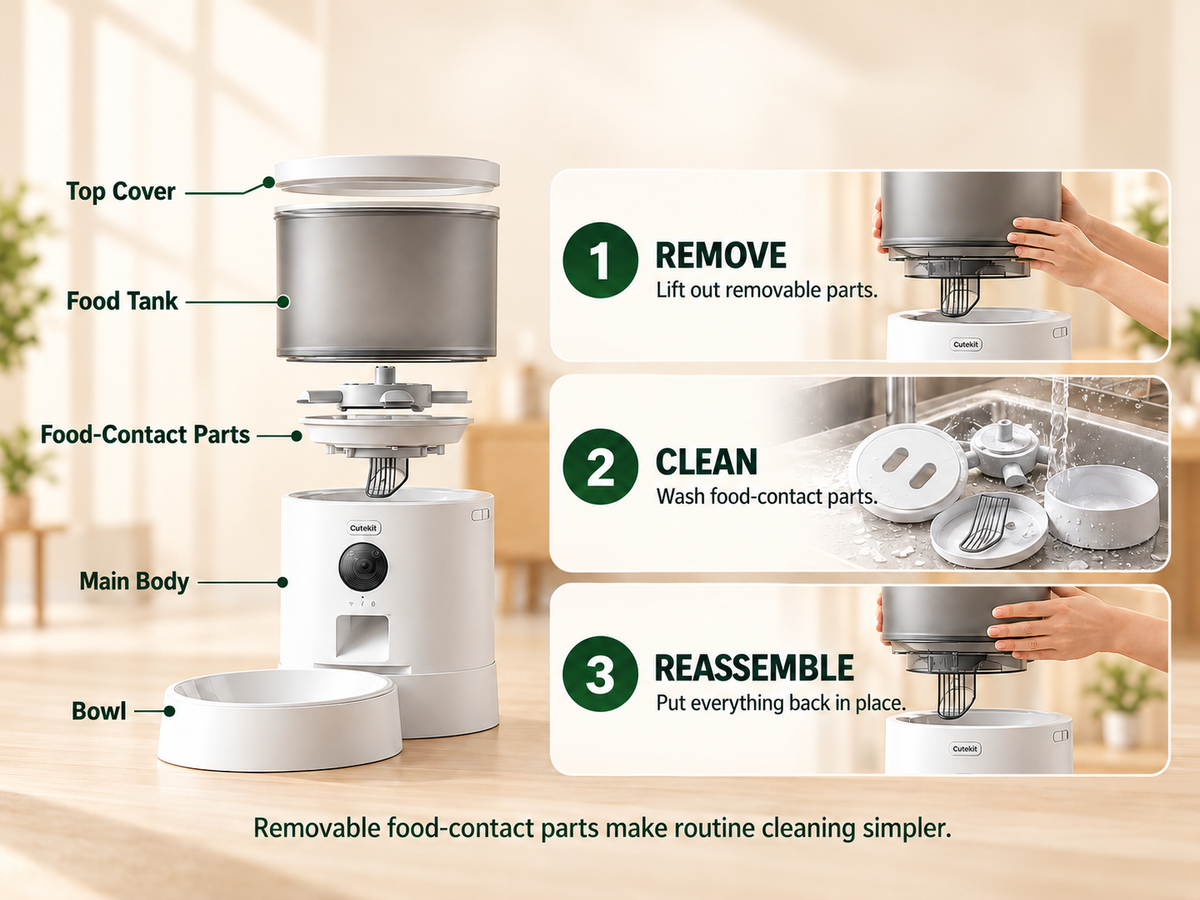
EASY EVERYDAY CARE
Removable food-contact components make routine cleaning more convenient.
Power off and unplug, then detach the removable food-contact parts.
Wash only the parts identified as washable in the user manual. Wipe the main body with a soft cloth.
Let cleaned parts dry completely before fitting them securely back in place.
Keep electronics dry — Do not rinse or immerse the main unit or electronic top lid. Follow the user manual for washable parts.
COMPARE MODELS
Every CuteKit feeder includes 5L food storage, VacuumLock freshness, Wi-Fi app control, and scheduled feeding. Choose the camera and power setup that fits your home.
Swipe to compare all three models
| Feature | Standard | Plug-In Camera | Cordless Camera |
|---|---|---|---|
| Built-in camera | No | Yes | Yes |
| Primary power | Plug-in | Plug-in | Rechargeable battery |
| Battery | 1200mAh backup | 1200mAh backup | 8000mAh main battery |
| Cordless placement | No | No | Yes |
| Best for | Everyday feeding | Remote check-ins | Flexible placement |
SPECIFICATIONS
Product specifications, food compatibility, power options, and everyday care.
Specifications for Standard
Remote app access requires an internet connection.
Battery runtime varies with usage and settings.
Dry kibble or freeze-dried pieces up to 16mm. Not suitable for wet food.
Wash removable food-contact parts according to the manual. Dry fully before reassembly. Keep the main unit and electronic lid dry; disconnect power before cleaning.
No built-in camera
Standard supports app-controlled feeding without live video.
Camera models only
Remote viewing requires the feeder and your phone to have internet access.
Camera models only
Remote viewing requires the feeder and your phone to have internet access.
Feeder unit, feeding base, ceramic food bowl and user manual.
Confirm the included power cable and adapter for your selected model with support before ordering.
Sold Separately
Double-Bowl Kit and Feeder Riser Feet.
FAQ & SUPPORT
Everything you need to know about choosing and using your CuteKit automatic cat feeder.
Choose Standard for everyday automatic feeding without a camera. Plug-In Camera adds pet monitoring, while Cordless Camera combines monitoring with an 8000mAh rechargeable battery for flexible placement.
Yes. All three models use VacuumLock technology to automatically reseal the food storage after feeding, helping reduce air exposure between meals.
Plug-In Camera uses adapter power with a 1200mAh backup battery. Cordless Camera uses an 8000mAh rechargeable main battery for flexible placement. Both include built-in cameras for supported pet-monitoring features.
Live viewing and cloud playback are separate features. Cloud recording and playback may require a paid subscription. Check the Maoxga app for available plans and current service terms.
Yes. Use the Maoxga app with a compatible 2.4GHz Wi-Fi network to set feeding times and portion sizes. Remote access requires a working internet connection.
Standard and Plug-In Camera include 1200mAh backup batteries intended to support feeding when external power is interrupted. Cordless Camera uses an 8000mAh rechargeable main battery. Available functions and runtime depend on battery level, settings and operating conditions; consult your model’s manual. Remote Wi-Fi and camera access also require a working network.
Clean removable food-contact components according to the user manual and dry them fully before reassembly. Keep the main body and electronic top lid dry. Do not rinse or immerse electronic components in water.
CuteKit is designed for compatible dry kibble and freeze-dried pieces up to 16mm, as specified in the user manual. It is not suitable for wet food. Follow the manual for food compatibility and loading instructions.
Visit the CuteKit Support Center for setup guides, user manuals and troubleshooting. Read our warranty information, or email support@cutekitofficial.com.